Real CAD, made for a tablet

Liquid Flow works the way desktop CAD does: you sketch a profile, dimension it, and turn it into features you can change later. The difference is that it's built for a tablet and pen. You can also talk to it: describe the part, and Draft AI builds it for you, one editable feature at a time.

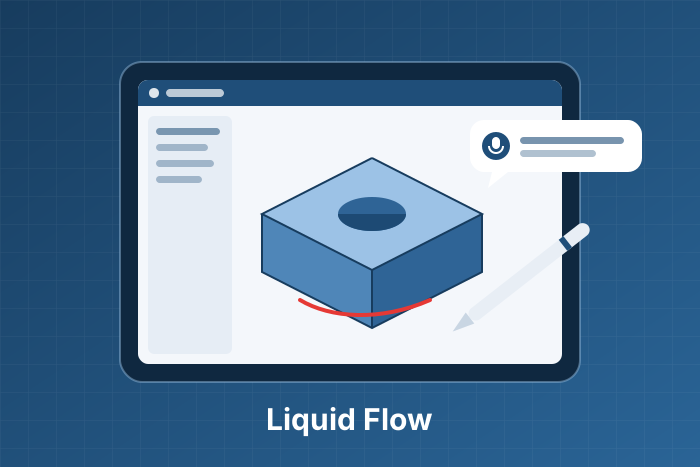
Liquid Flow on a tablet: a 3D part, the feature tree, ink drawn on the model and a Draft AI reply

What you can do

Sketch with the pen

Lines, rectangles, circles and arcs, with dimensions and relations. Liquid Flow tells you when a sketch is fully defined.

Build with features

Extrude, revolve, fillet, chamfer, shell, linear and circular patterns, mirror and reference planes.

Change it any time

Every step lives in the feature tree. Edit a dimension or a feature and the part rebuilds.

Say it with Draft AI

Hold the mic and describe the part. Draft AI shows its plan, builds it with real features and gives you one-tap Undo.

Mock it up

Draw right on the model in colour to show what you mean. Draft AI reads your marks along with your words.

Assemble and export

Put parts together in assemblies and export STL for 3D printing. Copy files to Drive, Downloads or USB.

How Draft AI builds a part

  1. Say what you want"A 150 mm cube with a 100 mm sphere cut out of the middle." If you like, draw on the model first to point at a face or sketch a shape.
  2. Check the planFor a new part or a big change, Draft AI lists the features it will make. Tap Build, or say what to change.
  3. Watch it buildIt works like a careful designer: fully defined sketches, one feature at a time, and it checks that each one actually built. It asks before touching anything you made yourself.
  4. Keep it or undo itEverything Draft AI did in that turn is one Undo. What it builds is ordinary features, so you can edit them by hand afterwards.

Two gears: Gear 1 for everyday parts, Gear 2 for harder ones.

What you need

About This Project

Introduction: Liquid Flow is a parametric, feature-based 3D CAD app for Android tablets, with an AI assistant that builds parts from speech and hand-drawn marks.

Challenge: Bring desktop-style parametric modelling to a pen-first tablet, and let an AI build parts without producing a "dumb" mesh: the model it makes must stay editable and follow good design intent.

Tech Stack: Flutter and Dart, with a solid-modelling engine written in Dart. Draft AI runs on Anthropic's Claude through a Firebase Cloud Function; accounts use Firebase Authentication and Firestore.

How It Works: Draft AI works through the same commands you use: create sketch, add geometry, dimension, extrude, fillet and so on. Guardrails in the app refuse anything that breaks design intent, such as building from an under-defined sketch, and remove a feature that doesn't build.

Privacy: Your parts stay on your tablet. When you use Draft AI, your request and a description of the part are sent to process it. See the Privacy Policy and Terms of Service.

Get Liquid Flow

Free to download, with a daily Draft AI allowance on the free plan.

Privacy Policy · Terms of Service · Delete your account